Smart Home, indoor WiFi and TV

IT support in the Marina Alta

The WiFi icon looks full, but the video call still stutters. The TV works in one room and struggles in another. Smart Home devices ask for a different app every time. A useful home setup starts with how you actually live.

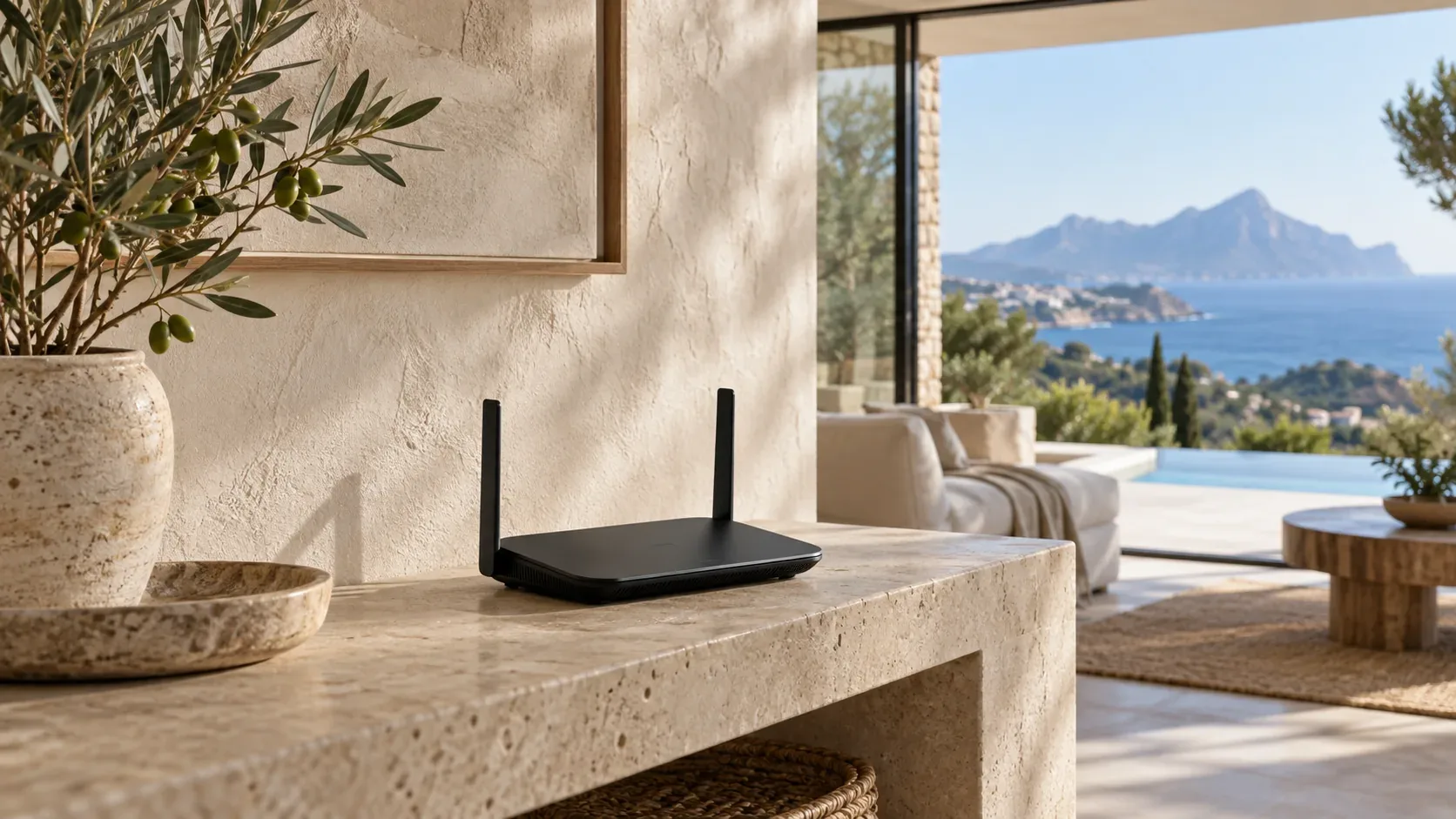
WiFi router on a stone shelf in a living room with sea views

Good signal and good speed are different things

WiFi bars describe the connection to the local wireless network, not the full journey to an online service. Internet bandwidth, interference, busy channels and the connection between access points can all affect performance.

From your question to a workable solution

  1. Your situation

    What do you want to do, where does it fail and which devices are involved?

  2. Review the options

    We consider the connections, existing equipment and technical limitations.

  3. Discuss the approach

    Work, parts and relevant dependencies are discussed beforehand.

  4. Explain everyday use

    The result needs to fit the way you use your technology.

Good signal and good speed are different things

WiFi bars describe the connection to the local wireless network, not the full journey to an online service. Internet bandwidth, interference, busy channels and the connection between access points can all affect performance. Tell us whether one device is slow or every device is affected, and whether the problem changes between rooms. This helps separate a coverage problem from an internet or network capacity problem.

WiFi and networking →

Thick walls, access points and mesh WiFi

Stone walls, reinforced concrete, floors and router placement can reduce wireless coverage. An additional access point or mesh system may help, but its connection back to the router matters too. A cable connection can be useful where possible. We discuss the rooms, devices and existing wiring before deciding where equipment belongs. Adding repeaters without understanding the route can leave a strong-looking signal with disappointing usable speed. A WiFi repeater repeats a wireless signal; mesh WiFi coordinates several network nodes. Both depend on a suitable connection to the rest of the network. WiFi dead zones, interference and busy WiFi channels therefore need investigation before choosing an extender.

WiFi and networking →

Smart Home that is easier to use

Lighting, blinds, heating or air-conditioning controls should fit your routines. Start with a small task: switch off the lights together, control a room from an app, or make an existing device easier to operate. Device compatibility, hubs, wireless standards and manufacturer services need checking. We discuss what can work together and what still needs its own controller. Mains electrical work, where needed, must be handled by a suitably qualified professional. A Smart Home hub is a central device for connecting or controlling compatible smart devices. Whether you need a smart hub depends on the devices, communication standards and intended automation.

Smart Home and TV →

TV, streaming and the rest of the household

TV setup can involve apps, accounts, HDMI connections, sound and the network behind the screen. We can discuss a connected TV, streaming device and WiFi as one practical setup. A stable connection does not change a streaming provider’s regional restrictions or subscription terms. Tell us which services and devices you use, what fails and who needs to operate them, so the result is understandable as well as connected. For a soundbar or receiver, HDMI ARC, the Audio Return Channel, may matter. The TV port, cable, supported functions and audio settings need to work together.

Smart Home and TV →
Which direction fits your question?

Your situationWhat mattersA suitable next step
Full WiFi bars but slow internetBandwidth, interference and the whole connectionWiFi and networking →
Weak coverage behind thick wallsPlacement, cable routes and mesh backhaulIndoor coverage planning →
TV and connected devices are hard to operateCompatibility, accounts and daily routinesSmart Home and TV →

Separate your internet connection from your home network

A test beside the router and one in the study do not tell the same story. A wired comparison, the device used and time of day can also help. If every device slows down together, moving one mesh node may not be enough. If only the TV struggles, the app, device or its connection may be involved. Describe where and when it happens so the whole chain, from connection to everyday use, can be considered.

WiFi and networking →

Mesh, access points and cabling are different choices

A mesh system can coordinate several nodes, but they still need to exchange data. That link is often called backhaul and may be wireless or wired. A separate access point also needs a connection to the network. The useful choice depends on walls, floors, cable routes and simultaneous use. An extension does not always require replacing the entire system; first we consider what the router and existing equipment already support.

WiFi and networking →

Turn separate devices into an understandable routine

A Smart Home can start small: switching a lamp on a schedule or combining blinds with suitable controls. Everyday operation, manual fallback and account management matter as it grows. Does the chosen function work without internet? Can another person in the household operate the lights? How is access transferred when a resident changes? Not every function works locally and not all brands are compatible. We discuss specific routines and conditions before connecting equipment.

Smart Home and TV →

A home that guests can use as well

Understandable TV controls, a separate guest network and simple instructions can matter more than extra features. For a holiday home or visiting family, consider access codes, personal streaming accounts and restoring settings. WiFi, TV and Smart Home can be discussed together, but systems differ in what they support. Explain which devices will stay, who needs access and what visitors should be able to do without guidance.

Smart Home and TV →

Questions before you start

Why is the internet slow with full WiFi bars?

The local signal may be strong while the internet connection, a shared wireless link or a particular device is limiting speed. Measuring different points helps identify the cause.

Does everything need replacing for a Smart Home?

Not necessarily. We first look at existing equipment, compatibility and the task you want to simplify. Some combinations need extra hardware or are not supported.

Will a faster internet plan fix poor coverage?

Not automatically. A faster subscription does not strengthen a weak local WiFi signal. First identify whether the internet line, wireless network or a device is the limitation.

Can my current router stay?

Sometimes, for example with suitable access points. Support, settings and the role of the provider’s router determine what is possible.

A useful next step

Tell us your location and what you would like to improve. We can discuss a visit to your home or business, or whether remote help suits the issue. You do not need to know the technical name of the problem. Include your town, for example Dénia, Jávea/Xàbia, Moraira, Calpe, Els Poblets, Oliva or Altea. Your location and the task help us discuss a suitable visit or remote session.

Explore our service area →
Smart Home, indoor WiFi and TV | Marina IT
WhatsAppContact Us

Computer

PC ClinicMaintenance & UpgradesGaming PCsPeripherals & Setup

Security cameras

Home Security & Cameras

Outdoor Wi-Fi

Outdoor / Villa Wi‑Fi

Smart Home & Wi-Fi

Wi‑Fi & NetworkingSmart Home & TV

Personal support

One‑to‑One HelpSmartphones & TabletsRemote Support

Website & E-Commerce

Websites & WebshopsSEO & VisibilityNetwork & Cloud

Smart Home, indoor WiFi and TV

IT support in the Marina Alta

The WiFi icon looks full, but the video call still stutters. The TV works in one room and struggles in another. Smart Home devices ask for a different app every time. A useful home setup starts with how you actually live.

WiFi router on a stone shelf in a living room with sea views

Good signal and good speed are different things

WiFi bars describe the connection to the local wireless network, not the full journey to an online service. Internet bandwidth, interference, busy channels and the connection between access points can all affect performance.

From your question to a workable solution

  1. Your situation

    What do you want to do, where does it fail and which devices are involved?

  2. Review the options

    We consider the connections, existing equipment and technical limitations.

  3. Discuss the approach

    Work, parts and relevant dependencies are discussed beforehand.

  4. Explain everyday use

    The result needs to fit the way you use your technology.

Good signal and good speed are different things

WiFi bars describe the connection to the local wireless network, not the full journey to an online service. Internet bandwidth, interference, busy channels and the connection between access points can all affect performance. Tell us whether one device is slow or every device is affected, and whether the problem changes between rooms. This helps separate a coverage problem from an internet or network capacity problem.

WiFi and networking →

Thick walls, access points and mesh WiFi

Stone walls, reinforced concrete, floors and router placement can reduce wireless coverage. An additional access point or mesh system may help, but its connection back to the router matters too. A cable connection can be useful where possible. We discuss the rooms, devices and existing wiring before deciding where equipment belongs. Adding repeaters without understanding the route can leave a strong-looking signal with disappointing usable speed. A WiFi repeater repeats a wireless signal; mesh WiFi coordinates several network nodes. Both depend on a suitable connection to the rest of the network. WiFi dead zones, interference and busy WiFi channels therefore need investigation before choosing an extender.

WiFi and networking →

Smart Home that is easier to use

Lighting, blinds, heating or air-conditioning controls should fit your routines. Start with a small task: switch off the lights together, control a room from an app, or make an existing device easier to operate. Device compatibility, hubs, wireless standards and manufacturer services need checking. We discuss what can work together and what still needs its own controller. Mains electrical work, where needed, must be handled by a suitably qualified professional. A Smart Home hub is a central device for connecting or controlling compatible smart devices. Whether you need a smart hub depends on the devices, communication standards and intended automation.

Smart Home and TV →

TV, streaming and the rest of the household

TV setup can involve apps, accounts, HDMI connections, sound and the network behind the screen. We can discuss a connected TV, streaming device and WiFi as one practical setup. A stable connection does not change a streaming provider’s regional restrictions or subscription terms. Tell us which services and devices you use, what fails and who needs to operate them, so the result is understandable as well as connected. For a soundbar or receiver, HDMI ARC, the Audio Return Channel, may matter. The TV port, cable, supported functions and audio settings need to work together.

Smart Home and TV →

Which direction fits your question?

Your situationWhat mattersA suitable next step
Full WiFi bars but slow internetBandwidth, interference and the whole connectionWiFi and networking →
Weak coverage behind thick wallsPlacement, cable routes and mesh backhaulIndoor coverage planning →
TV and connected devices are hard to operateCompatibility, accounts and daily routinesSmart Home and TV →

Separate your internet connection from your home network

A test beside the router and one in the study do not tell the same story. A wired comparison, the device used and time of day can also help. If every device slows down together, moving one mesh node may not be enough. If only the TV struggles, the app, device or its connection may be involved. Describe where and when it happens so the whole chain, from connection to everyday use, can be considered.

WiFi and networking →

Mesh, access points and cabling are different choices

A mesh system can coordinate several nodes, but they still need to exchange data. That link is often called backhaul and may be wireless or wired. A separate access point also needs a connection to the network. The useful choice depends on walls, floors, cable routes and simultaneous use. An extension does not always require replacing the entire system; first we consider what the router and existing equipment already support.

WiFi and networking →

Turn separate devices into an understandable routine

A Smart Home can start small: switching a lamp on a schedule or combining blinds with suitable controls. Everyday operation, manual fallback and account management matter as it grows. Does the chosen function work without internet? Can another person in the household operate the lights? How is access transferred when a resident changes? Not every function works locally and not all brands are compatible. We discuss specific routines and conditions before connecting equipment.

Smart Home and TV →

A home that guests can use as well

Understandable TV controls, a separate guest network and simple instructions can matter more than extra features. For a holiday home or visiting family, consider access codes, personal streaming accounts and restoring settings. WiFi, TV and Smart Home can be discussed together, but systems differ in what they support. Explain which devices will stay, who needs access and what visitors should be able to do without guidance.

Smart Home and TV →

Questions before you start

Why is the internet slow with full WiFi bars?

The local signal may be strong while the internet connection, a shared wireless link or a particular device is limiting speed. Measuring different points helps identify the cause.

Does everything need replacing for a Smart Home?

Not necessarily. We first look at existing equipment, compatibility and the task you want to simplify. Some combinations need extra hardware or are not supported.

Will a faster internet plan fix poor coverage?

Not automatically. A faster subscription does not strengthen a weak local WiFi signal. First identify whether the internet line, wireless network or a device is the limitation.

Can my current router stay?

Sometimes, for example with suitable access points. Support, settings and the role of the provider’s router determine what is possible.

A useful next step

Tell us your location and what you would like to improve. We can discuss a visit to your home or business, or whether remote help suits the issue. You do not need to know the technical name of the problem. Include your town, for example Dénia, Jávea/Xàbia, Moraira, Calpe, Els Poblets, Oliva or Altea. Your location and the task help us discuss a suitable visit or remote session.

Explore our service area →