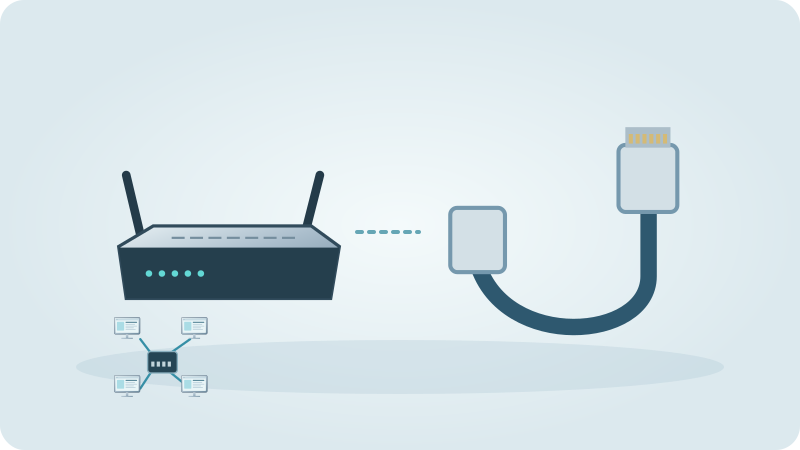
Almost every house has a room where the Wi-Fi is poor. Before spending money it helps to know that there are four quite different ways to fix it: a plug-in repeater, powerline adapters that use the house wiring, a mesh system, and a network cable that feeds an extra access point. They are often mentioned in the same breath, yet they solve different problems, and the right choice depends far more on your building than on the brand.
This guide is a decision aid by type of house. We look at thick stone walls, a finca with outbuildings, an upper floor and older electrical installations, and we explain when each option tends to make sense and when it does not. The idea is that you can reach a sensible decision on your own. Only at the end do we describe what Marina IT can do for you, in case you would rather not do it yourself.
Why is the Wi-Fi weak in some rooms?
Wi-Fi is radio, and radio loses strength with distance and with every obstacle. Stone, brick, reinforced concrete and floors with steel mesh absorb a great deal, and the 5 GHz band is hit harder than the 2.4 GHz band. Mirrors, metal shutters and large aquariums add to it. If the provider router sits in the entrance hall or in a cupboard, half the house may be behind several barriers.
So the first question is not which device to buy but where the signal fades and why. Walk through the house with a phone, note the rooms where the connection breaks down and check where the router stands. Our guide to Wi-Fi dead zones shows how to do this step by step. Moving the router to a more central, open spot sometimes solves more than any extra device.
Which solution suits which kind of house?
The table is a rough orientation, not a promise. Every building behaves differently, and a mix of solutions is common: a cable to one point, mesh or powerline for the rest.
Check the seller’s actual return conditions before buying. Test a candidate solution in the real sockets and rooms; do not assume a right to return used equipment.
| Situation | Often sensible | Watch out for |
|---|---|---|
| Thick stone or concrete walls between rooms | Cable plus access point, or powerline | Wireless links between devices lose a lot through the wall |
| Finca with outbuildings or a guest house | Site assessment: suitable fibre, wireless or designed cable link | Powerline rarely works well across separate circuits or buildings |
| Upper floor or a second storey | Mesh node on the upper floor, or a cable if a duct exists | A repeater halfway up the stairs usually disappoints |
| Old or heavily extended electrical installation | Cable, or mesh with a good wireless link | Powerline results depend on the wiring and can vary a lot |
When do powerline adapters work, and when not?
Powerline adapters come as a pair. One plugs into a socket near the router and is connected to it by a network cable. The other plugs into a socket in the room where you need the network and offers a LAN port, and often Wi-Fi as well. The data travels over the existing house wiring, so no new cable is needed. That is the attraction in rented homes and in houses where drilling through thick walls is not an option.
The weak point is that the result depends on the wiring, which you cannot see. Sockets on another circuit, a long distance to the distribution board, older installations, and noisy devices such as some chargers, dimmers or power supplies can reduce the speed or interrupt the link. Plug the adapters directly into wall sockets, not into extension strips with surge protection, because those often filter out the signal. Powerline is designed for indoor sockets and does not suit outdoor or wet areas.
Check return conditions before purchase, then test the adapters at the actual sockets with an Ethernet-connected device. If the result is unsuitable, compare feasible cable, wireless and mesh options by measured performance and full installation cost. No alternative is automatically the cheapest.
Network cable and access point: the most dependable fix
A cable-connected access point removes the wireless backhaul hop. This often improves usable capacity, but performance still depends on the cable, ports, radio channel, clients and internet connection. Repeaters do not universally halve speed: the effect depends on their radios and backhaul design. Measure the normal task at the destination rather than relying on the number on the box.
Inspect an existing cable route before assuming it can be reused. Any new drilling must account for hidden utilities, the structure and permission to alter the property. A suitable installer can assess a safe route; this guide is not an instruction to drill through an unknown wall.
- Measure the route and add some reserve instead of buying a cable that is just long enough.
- Use a proper network cable (Cat 5e or better) and keep it away from mains cables over long stretches.
- Mount the access point high and fairly central in the area it should cover, not in a cupboard.
- Many access points can be powered over the cable (PoE) if the device and the switch or injector support it; check the data sheet.
Mesh or repeater: when are they enough?
A repeater needs a useful upstream signal at its own position. Mesh systems coordinate compatible nodes and can assist roaming, but the client also decides when to change access point. One network name does not guarantee seamless calls. Test movement with the actual phone or laptop, as well as throughput in each room.
The condition is the same for both: each node needs a good link to the previous one. If you place a node at the very limit of the range, you only move the problem. A mesh node that is connected by cable to the router, called a wired backhaul in some systems, avoids this and is often the best combination for a large house or a finca. We also describe this for country properties in our guide to mesh Wi-Fi for fincas.
Decision tree: how do I decide?
Work through these questions in order. Stop at the first step that gives you a workable answer and test it before going further.
- Is the router in a poor spot, such as a cupboard, the floor or the far corner? Move it to a central, open place first, or ask the provider whether the router can be moved.
- Can a network cable reach the problem area, even through a duct or a single wall opening? Then use a cable and an access point, or a mesh node connected by cable.
- No cable possible, but the problem is one room close to the router? Try a repeater or a powerline pair, and test both in the real place.
- No cable possible and several rooms or floors are affected? A mesh system with nodes placed so that each has a good link is the usual route; powerline kits with Wi-Fi are a second candidate if the wiring is cooperative.
- For a separate building, assess the distance, route and electrical separation before choosing a link. Fibre or an appropriate point-to-point wireless design may be preferable to an outdoor copper run. Use an installer’s site assessment; do not improvise a cable between buildings or assume powerline can cross separate supplies.
How Marina IT can help
We can assess router placement, device connections and coverage, then configure compatible network equipment and test the locations that matter. Record the layout, device models and comparison tests before purchasing equipment. Changes to provider service, building structure, mains supply or outdoor electrical safety need the responsible provider or suitably qualified professional.
Marina IT is based in Adsubia. Regional visits and travel costs are agreed beforehand; there is no walk-in shop. On-site work is €49 per hour (€12.25 per 15 minutes), remote help €40 per hour (€10 per 15 minutes). Billing is in 15-minute steps, plus 21% IVA; materials are extra. Describe the device, symptoms and checks already tried so that the assessment method and scope can be agreed.
Questions about this guide
Is powerline better than mesh?
Neither is better in general. Powerline needs no new cable but depends on your wiring. Mesh does not depend on the wiring but needs good wireless links between its nodes. In a house where both are possible, a cable-connected node or access point is usually more dependable than either.
Will a Wi-Fi extender fix weak Wi-Fi in my whole house?
Rarely. A single extender helps one weak spot that still has a decent signal at the extender itself. For several rooms or floors, mesh or cable-connected access points tend to work better.
Do powerline adapters work through thick walls?
They do not send data through the wall but through the electrical wiring, so wall thickness matters less than the circuits. They can therefore help in stone houses, but not every installation allows a good connection. Test before relying on them.
How can I improve Wi-Fi in a finca with several buildings?
For a separate building, assess the distance, route and electrical separation before choosing a link. Fibre or an appropriate point-to-point wireless design may be preferable to an outdoor copper run. Use an installer’s site assessment; do not improvise a cable between buildings or assume powerline can cross separate supplies.
What does it cost to improve the Wi-Fi in my house?
That depends on the house, the cable route and the equipment. For our work the rate is €49 per hour in 15-minute steps plus 21 % IVA, with material extra and travel confirmed per region beforehand. A short description of your house lets us tell you what to expect.